Lets directly dive in, without talking what is react? or what is firebase?
If you guys want to know about that then feel free to add in the comments section, will surely pick the topics. Let’s begin.
To create a react app, the first command to run is the npx create-react-app .Now, after creating the app, make the relevant changes. Create the components, containers html css etc. After you are done with the changes, make sure that the code is working fine on localhost.
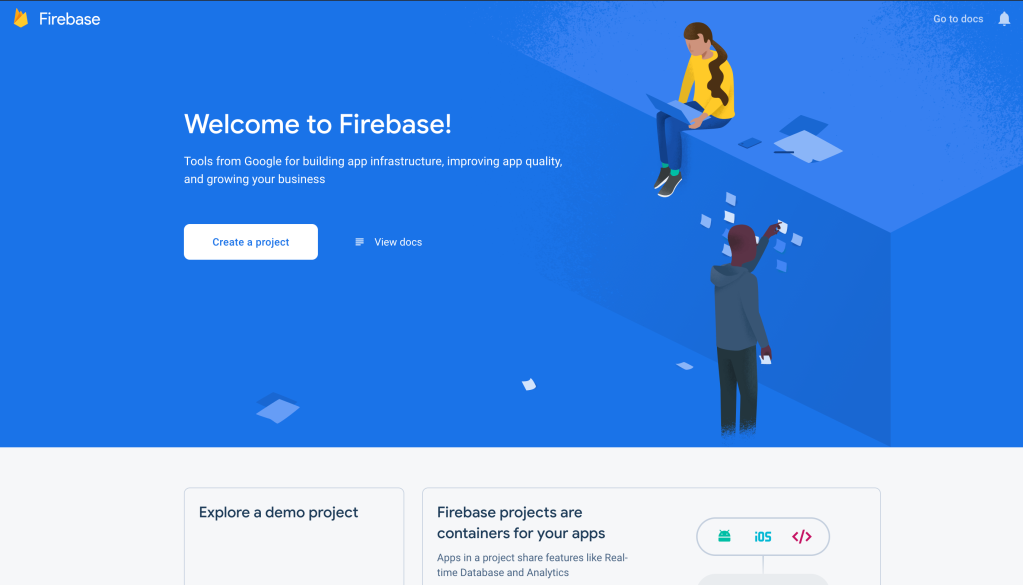
Next step, is opening firebase i.e. https://console.firebase.google.com/ After that, it will show a screen.

Now click on the create a project button which will ask for a name. Fill the suitable name for the project since that will be the website URL of the app. If you guys are familiar with Google analytics then create the suitable events to track the website usage.

Wait till firebase is setting up the website.


Now, the app initializations are done. Next step is to deploy it via CLI from terminal.
Before that make a build for your react app. How?
npm run buildThis command will make a build folder for the react app that will be used in running your app.
Now, lets install the firebase tools via npm in the folder of the app. For this one thing we can do is that install the firebase tools globally.
npm install -g firebase-tools-g will install this globally. Now lets login in firebase through the terminal. For this execute the command
firebase loginThis will take you to the default browser screen, from where you can login via the same google id which you have used in the starting to created the app. After the successful login, again come back to the terminal and hit the command
firebase initThis will let firebase know that you are trying to initialize the app for the firebase. This will show this

After that choose the option that is more relevant, for me Hosting will be suited, since i have just a simple react app. So, on choosing the option Hosting by pressing space bar and hitting Enter button. It will ask for
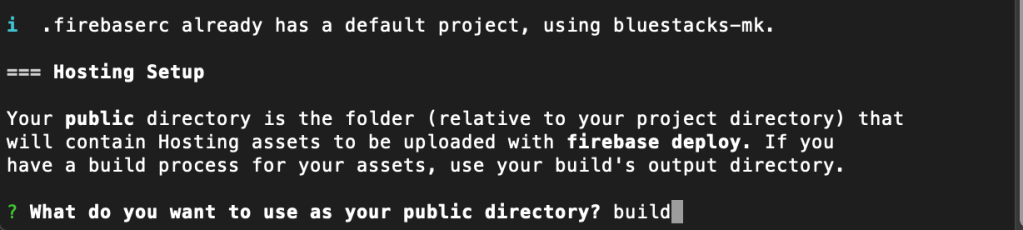
Now when it asks for public directory choose the build . Now it will ask for

It will ask for 1. to configure it as SPA and to override the index.html. Fill that with the values relevant to your project. For me i choose yes and no respectively.
And boom its done. We have successfully initialized the app. Now, its time to deploy the app. The last command will be
firebase deployThen it will take 20-30 sec and boooooom, react website is deployed on the firebase.
Note: This is something related to the case if by chance you already initialized the app with some other name and trying to firebase init, will result in initilizing the same project on the firebase. So, for switching the project on the terminal or CLI use the command
firebase use --add.This command will let use choose from the new project that you have created.
In case this blog helped you, give it a like and do post a comment. Thank you!!

 ADDITIONAL KNOWLEDGE
Leave a comment