Resolving MediaKit reports not enough space on device for requested operation. Operation failed… (External HD problem)
When formatting an external drive from macOS 10.11.x (El Capitan) and macOS 10.12.x (Sierra), and 10.13 (High Sierra) Disk Utility the follow error may occur, moving on to a quick solution for this problem:
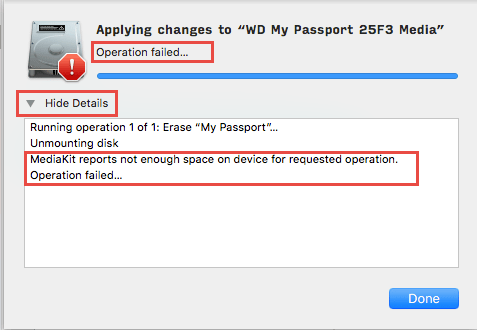
There is a easy solution for this,
Go to the upper left corner and click on show all devices instead of show only volume.
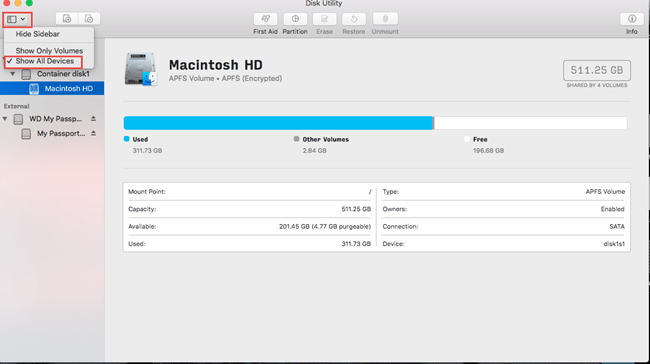
Then you will be able to see the two rows in external column.
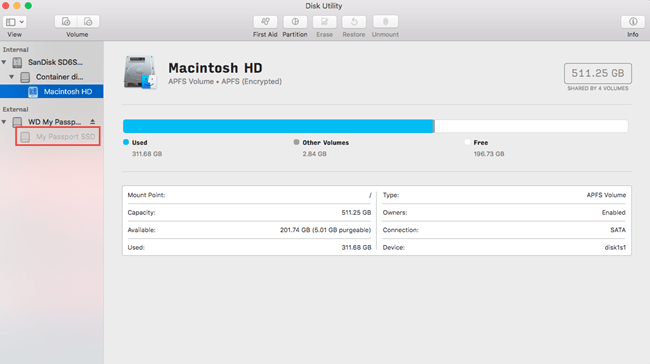
now click on unmount on the second volume and make sure it is grey now.
Now click on first part of the external volume
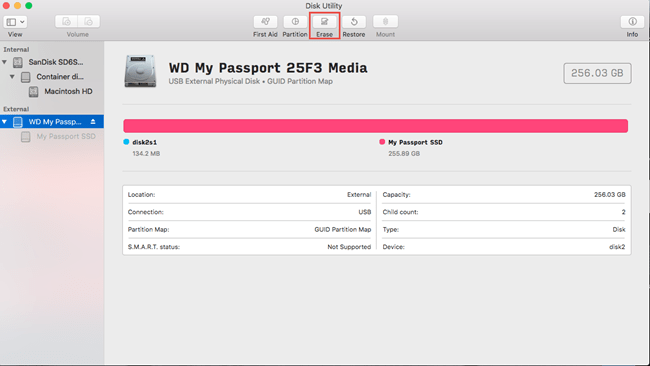
And click on erase and then-
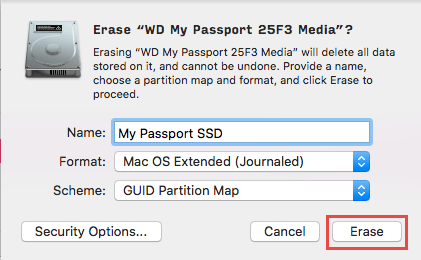
Now make sure
IF you want the hard disk for mac use only then use these settings.
Else if you want to use on both mac and pc(windows) then in format choose ExFAT.
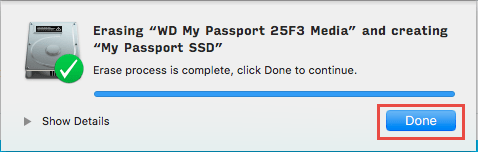
Then it will format and your work is done.
Refrence:
https://support.wdc.com/knowledgebase/answer.aspx?ID=20789


 ADDITIONAL KNOWLEDGE
Leave a comment