How To Show Developer Tab In Word?
Step 1: Click Office icon on the top left of Word, and then click Word Options button.
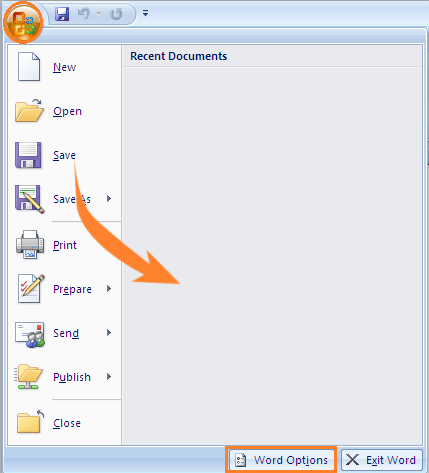
Step 2: Click on Word Options.
Step 3: Check Show Developer tab.
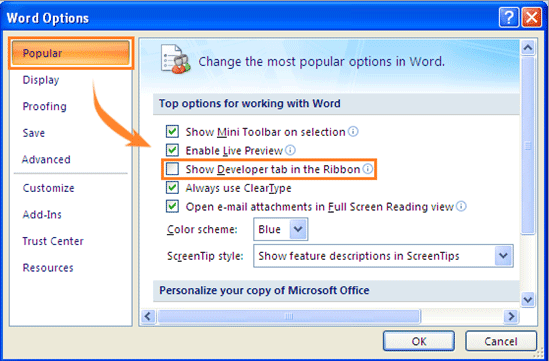
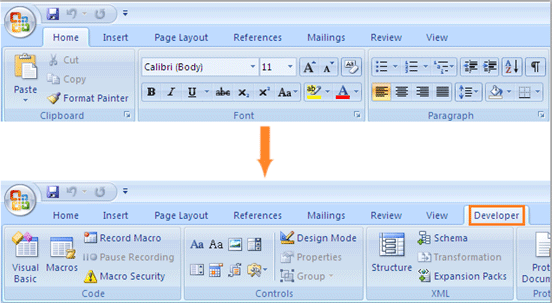
Step 4: Click OK button, and developer tab will be shown in the ribbon.
HOPE THIS HELPS!!

 ADDITIONAL KNOWLEDGE
Leave a comment